Co-authored by Apurva Birala, Sr. Product Manager
Making Operational Data More Accessible to AI
IT teams have more operational data at their fingertips than ever before. The challenge is turning that information into actionable insights that support faster, more informed decisions.
As IT environments grow increasingly complex, organizations need simpler ways to connect systems, access relevant information, and incorporate operational data into automated workflows. Building and maintaining individual integrations for every API or use case adds complexity and can slow innovation.
ScienceLogic is addressing this challenge by expanding Model Context Protocol (MCP) capabilities in Skylar Automation.
With version 1.2.0 of the Skylar One Base SyncPack, ScienceLogic is introducing five new MCP tools that build on the 20 already available. These additions enable AI agents to discover and query a broader range of Skylar One REST and GraphQL APIs without requiring a dedicated tool for every endpoint.
The result is more flexible access to operational context and new opportunities to connect AI-driven insights with IT automation.
Why MCP Matters for Modern IT Operations
MCP is an open standard that simplifies how AI applications connect with external tools and data sources.
For IT operations teams, this is particularly valuable. AI agents need relevant, reliable operational context to help investigate issues, analyze infrastructure conditions, and support informed decisions.
Traditionally, providing that context could require developing and maintaining separate integrations for different APIs. As environments expand and requirements evolve, managing these connections becomes increasingly challenging.
MCP offers a more standardized approach.
With Skylar Automation, organizations can connect AI agents, MCP clients such as Claude Desktop and VS Code, and Skylar Advisor to access operational information and interact with available automation tools.
The latest enhancements extend these capabilities, making it easier for agents to discover and retrieve information across Skylar One through a common interface.
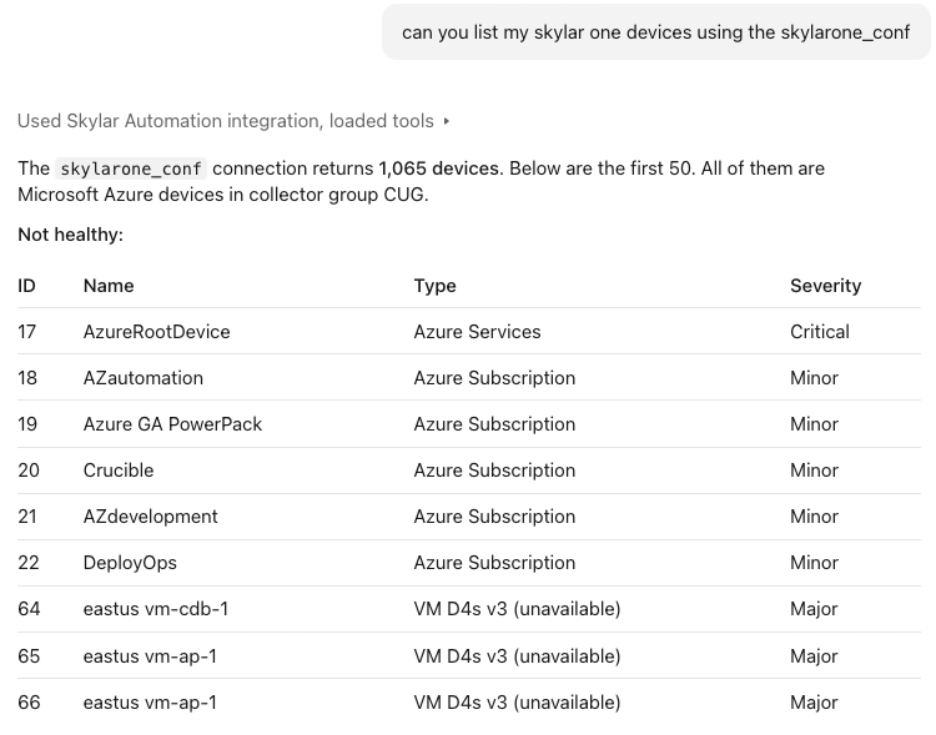
A connected AI client retrieves Skylar One devices through the Skylar Automation integration and displays their types and severity. Excerpt from a larger result.
What’s New: Five MCP Tools for Greater Flexibility
The Skylar One Base SyncPack 1.2.0 release introduces five new MCP tools designed to expand how AI agents access operational data.
Rather than relying exclusively on predefined integrations, agents can now discover available APIs, understand their capabilities, and retrieve relevant information as needed.
The new tools include:
- list_endpoints: Discover available Skylar One REST API endpoints.
- describe_endpoint: Examine supported fields and options to understand the information an endpoint provides.
- execute_endpoint: Retrieve operational information using Skylar One REST API GET requests.
- introspect: Explore the Skylar One GraphQL schema to identify available data structures and query options.
- execute_gql: Run read-only GraphQL queries to retrieve information from Skylar One.
Together, these tools give AI agents a more flexible way to explore and retrieve operational data.
Instead of creating a new integration whenever an agent needs information from a different endpoint, organizations can use these common capabilities to discover what’s available and access the information they need.
For IT teams, this can reduce custom integration work, simplify access to existing data, and expand the possibilities for AI-assisted workflows.
From Operational Data to Informed Action
Consider an IT team investigating an infrastructure issue.
Understanding the situation may require reviewing affected devices, examining related events, and gathering additional operational context. Collecting that information manually across multiple interfaces can slow the investigation.
With an AI agent connected to Skylar Automation, teams can streamline how they gather relevant information.
For example, an agent could discover available Skylar One REST API endpoints, examine their supported fields, and execute GET requests to retrieve device or event information. Alternatively, it could explore the GraphQL schema and construct a read-only query to retrieve the data needed for analysis.
The agent can then use that information to summarize findings, identify areas requiring further investigation, or help an operator determine the next step.
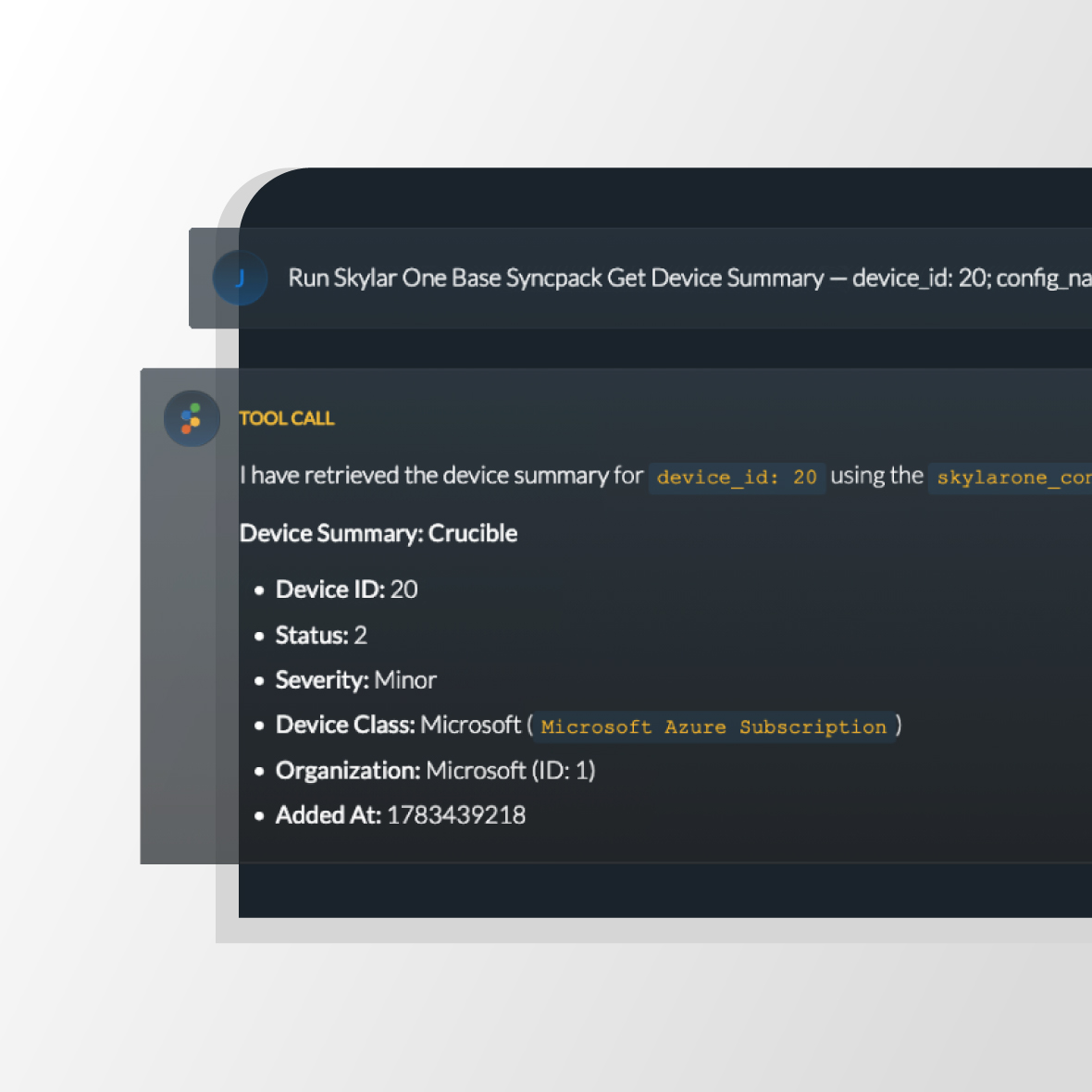
The examples below show existing MCP tools retrieving a device summary and configuration data for the same Skylar One device. The five additions in version 1.2.0 expand this foundation with more flexible API discovery and querying.
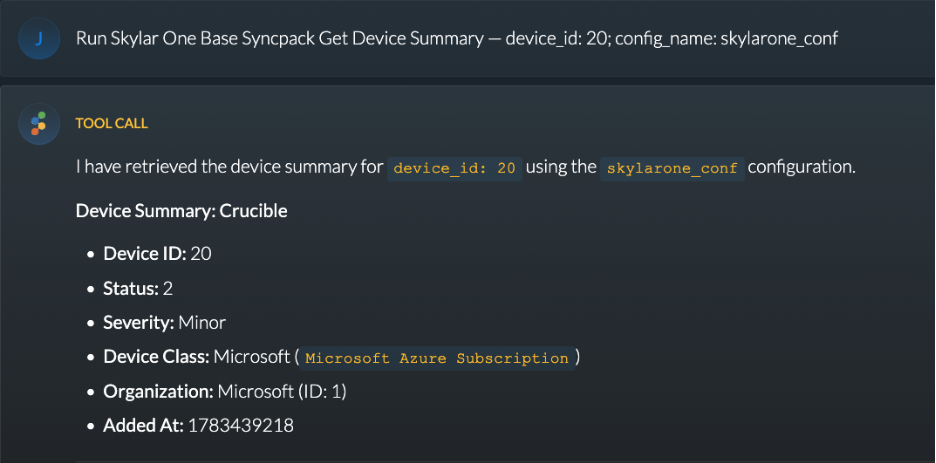
An existing device summary tool returns the selected device’s status, severity, device class, and organization.
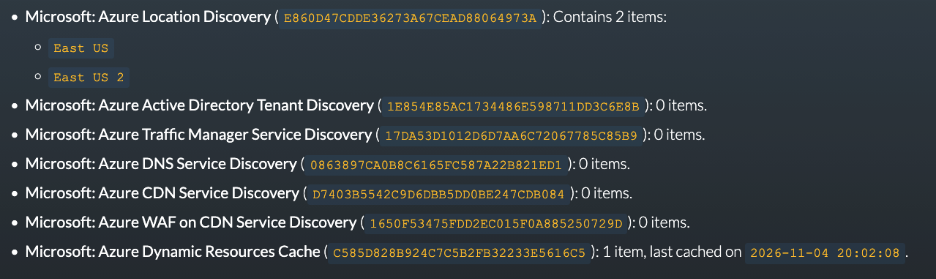
An existing device configuration tool retrieves configuration data for the same device, including discovered Azure locations. Cropped detail.
But retrieving information is only part of the equation.
Skylar Automation also provides existing MCP tools that can run Skylar Automation applications and initiate Skylar One run book automations for active events. The application tool is included in the Base Steps SyncPack, while the event automation tool is included in the Skylar One Base SyncPack.
This distinction is important. The five new tools focus specifically on discovering and retrieving information. Separate, existing MCP tools provide the ability to initiate automation workflows that perform operational tasks.
Together, these capabilities create opportunities to connect data retrieval, AI-assisted analysis, and automation execution within agent-driven IT workflows.
Connecting Operational Context with Automation
As organizations explore more advanced AI use cases, access to reliable operational context becomes increasingly important.
An AI agent can only analyze the information available to it. When critical data is difficult to access or distributed across disconnected systems, the agent’s ability to support IT teams is limited.
Skylar One provides visibility across complex IT environments, while Skylar Automation helps organizations connect systems and orchestrate operational workflows.
The expanded MCP capabilities bring these strengths closer together by making more Skylar One information accessible to AI agents.
The tools retrieve the data. Your agent does the analysis. Your team decides.
This approach reflects a practical path toward AI-assisted IT operations. Organizations can focus on making better use of existing information, reducing manual effort, and equipping teams with the context needed to make informed decisions.
When action is appropriate, an existing MCP tool in the Skylar One Base SyncPack can initiate a user-selected run book automation against an active Skylar One event.
The result is a more connected approach to IT operations, where operational data, AI-assisted insights, and automation workflows can work together more effectively.
Building on an Expanding MCP Foundation
The introduction of these five tools represents another step in ScienceLogic’s ongoing expansion of MCP capabilities.
By building on the 20 existing tools, Skylar Automation gives customers more flexibility to interact with Skylar One through AI agents and MCP clients.
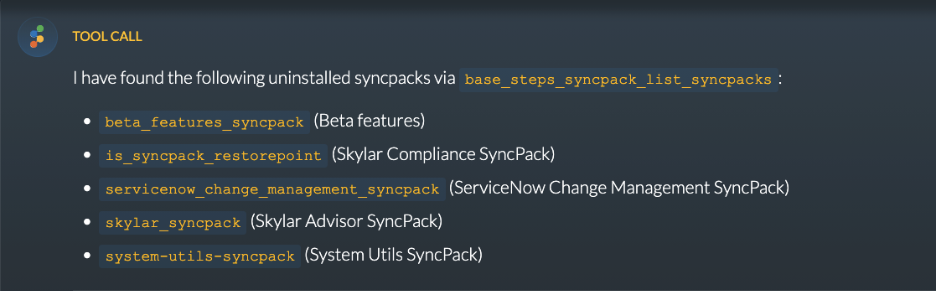
An existing Base Steps MCP tool lists uninstalled SyncPacks through a connected AI interface.
Instead of limiting data retrieval to a predefined set of integrations, these capabilities open access to a broader range of Skylar One APIs.
Organizations can explore new AI-assisted use cases, extend existing automation investments, and make operational information more accessible without developing individual tools for every retrieval requirement.
As IT operations continue evolving toward more connected, agent-driven workflows, the ability to access and apply operational context will play an increasingly important role.
Getting Started with the New MCP Capabilities
The five new MCP tools are available in Skylar One Base SyncPack version 1.2.0.
To use these capabilities, organizations need the following minimum versions:
- Skylar Automation: Version 3.4.0 or later
- Skylar One: Version 12.5.1 or later
- Base Steps SyncPack: Version 1.7.1 or later
After installing the required Base Steps SyncPack, customers can import and activate the updated Skylar One Base SyncPack through the Skylar Automation interface.
For guidance on connecting AI agents and MCP clients, see the Configuring the Skylar Automation MCP Server documentation.
Ready to put more of your operational data to work?
Review the Skylar One Base SyncPack 1.2.0 release notes, then download the Skylar One Base and Base Steps SyncPacks from the ScienceLogic Support Center under Skylar Automation > SyncPacks to explore the new tools.