Why the most valuable automation roadmap begins before remediation
A failed service triggers an alert. Before an engineer can act, someone has to find the right owner, check recent changes, collect diagnostics, and determine whether customers are affected. None of these tasks looks as impressive as an automated recovery. Together, they may determine how quickly the team resolves the incident.
That is the overlooked opportunity in IT automation: improving the quality and speed of the work that happens before an action. Organizations can pursue autonomous remediation while leaving the steps that make remediation safe fragmented across tools and teams.
What IT operations tasks should be automated first?
Start with frequent, repeatable tasks that assemble evidence, eliminate routine handoffs, and make operational decisions more consistent. Good early candidates include incident enrichment, diagnostic collection, event deduplication, routing, and post-change health checks. Automate production changes later, when teams have established reliable triggers, permissions, rollback procedures, and outcome verification.
The highest-volume task is not always the best first investment
Google’s SRE guidance defines “toil” in part as manual, repetitive operational work that grows with service demand. Eliminating that work is a reasonable goal. But frequency and hours saved cannot decide automation priority on their own. A task that takes five minutes and runs hundreds of times may be a better first candidate than a rare, one-hour recovery procedure that can disrupt production if executed incorrectly.
A useful way to assess a candidate is to ask two separate questions: How much value would consistent execution create? And how much authority must the workflow exercise to deliver it? Those questions prevent teams from treating data collection and production modification as equivalent activities.
A practical way to rank automation opportunities
Evaluate each candidate against five factors. The first three establish potential value; the last two determine how safely it can run:
- Frequency: How often does the task occur, and how much manual attention does it absorb?
- Standardization: Can the inputs, decision rules, and expected outputs be defined consistently?
- Service impact: Does the work improve restoration speed, reduce misrouting, or prevent avoidable disruption?
- Execution risk: Could an incorrect action change production state, expose data, or affect multiple services?
- Verifiability: Can the team tell from observable evidence whether the workflow completed correctly?
Do not add these factors into a simplistic score and automate the highest total. A high-value action with poor verification should remain supervised. A modest-value task with reliable evidence and little execution risk may be ready for immediate rollout.
Ten tasks to consider, grouped by the authority they require
Rather than ranking every task from one to ten, group candidates by what the workflow is permitted to do. This turns a generic backlog into an automation roadmap.
Gather and interpret information:
- Enrich incidents with available asset and service context, incorporating ownership and recent-change information where supported by configured integrations.
- Capture approved first-response diagnostics when defined alerts occur.
- Correlate related events and preserve visibility into the underlying parent and child events.
- Run routine health checks and collect results in a consistent record.
Coordinate operational work:
- Route incidents using ownership and escalation rules.
- Synchronize approved incident or configuration data across monitoring and ITSM systems.
- Apply configured maintenance schedules and event suppression policies to reduce unnecessary alerts during planned changes.
- Assemble recurring service reports and exception summaries.
Validate or change production state:
- Run post-change tests and flag failed health checks.
- Execute narrowly scoped remediation, with appropriate approvals and rollback controls.
The distinction matters. The first group primarily reduces search and analysis time. The second improves coordination between tools and teams. The third can influence service availability and therefore requires stronger controls. These are candidate workflows, not a claim that every task is available out of the box.
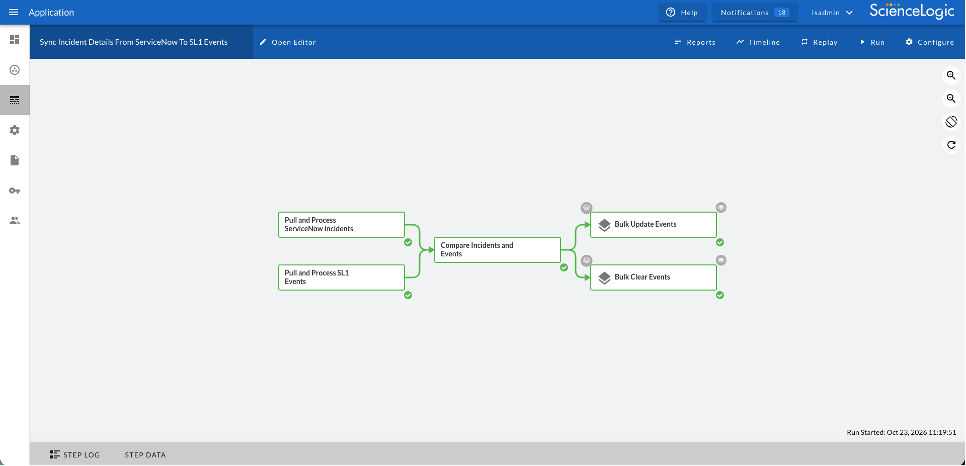
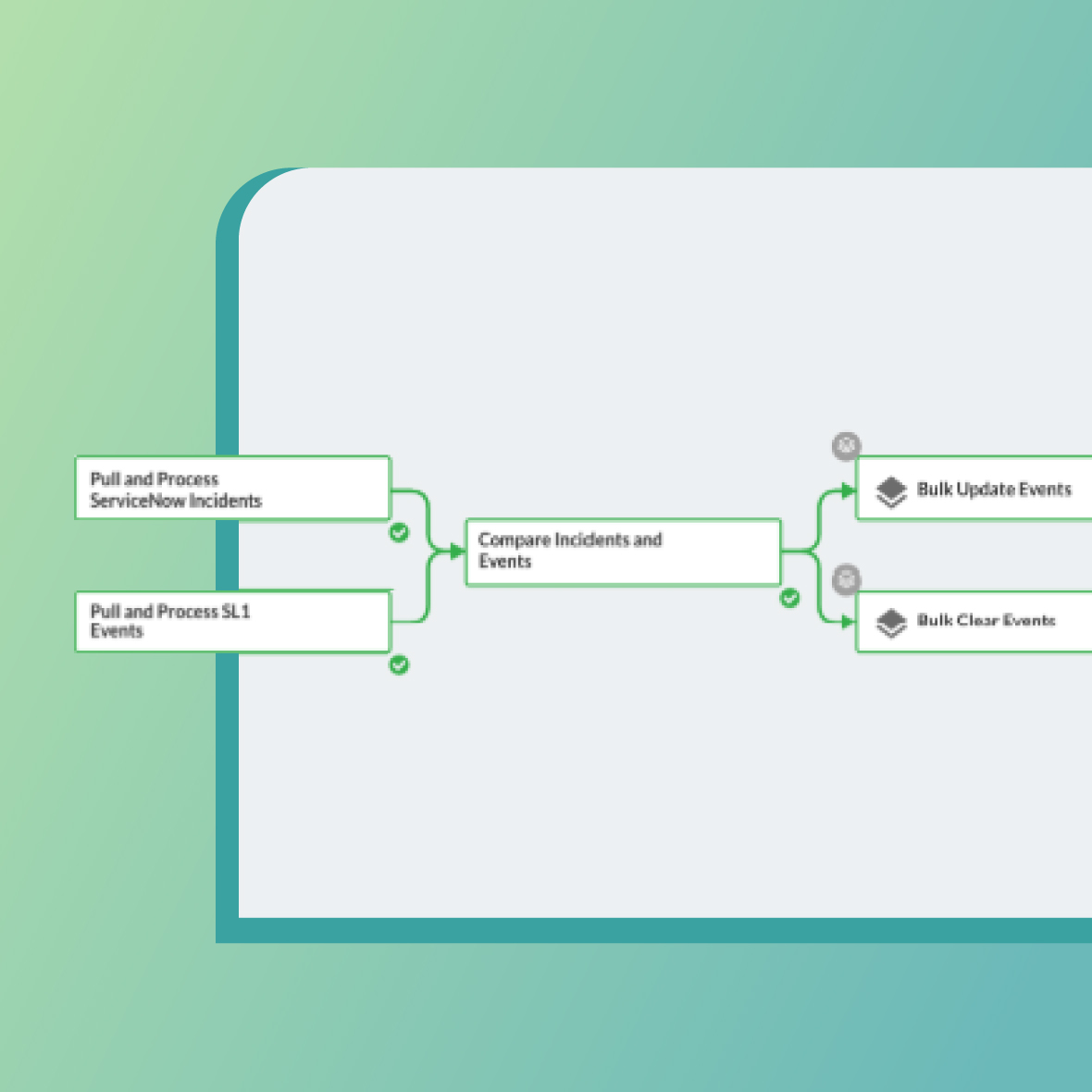
Skylar Automation uses reusable steps and visual workflows to coordinate tasks and operational information across IT systems.
The surprising payoff: automate the investigation before the fix
Consider recurring application slowdowns. One proposed workflow restarts a service whenever latency exceeds a threshold. Another automatically collects relevant metrics, checks dependencies, pulls recent change information, and opens an enriched incident for the responsible team.
The restart looks more advanced, but latency alone may not establish the cause. The investigation workflow gives responders a reproducible evidence package without assuming that restarting a process is the right treatment. Over time, the team can study which conditions reliably predict a specific fault, then decide whether a particular recovery step merits supervised or automatic execution.
This is the difference between eliminating clicks and building dependable operations. The second approach creates reusable knowledge about when action is justified, not just a shorter path to taking it.
Measure decision quality, not just time saved
A credible pilot starts with a baseline. Track how long responders spend gathering evidence, how often tickets are reassigned, how frequently workflow outputs need correction, and how consistently the right team receives the incident. After deployment, measure the same outcomes alongside exceptions and failed executions.
A workflow that saves two minutes but produces incomplete tickets may simply move effort downstream. A more useful success measure is the share of incidents that reach the right owner with adequate diagnostic information on the first pass. For higher-impact automations, add approval adherence, auditability, and post-action service health.
How ScienceLogic supports a more disciplined progression
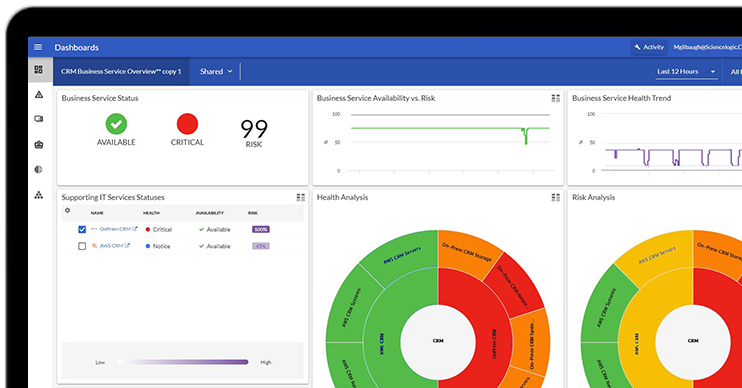
ScienceLogic helps IT teams move from manual investigation to more consistent, automated operations. Skylar One provides monitoring, event correlation, and service context, while Skylar Automation connects that information with ITSM platforms and other enterprise tools. Through supported SyncPacks and reusable workflow components, teams can automate incident synchronization, coordinate workflows across systems, and reduce repetitive work. The specific workflows available depend on the integrations and configurations in place.
As AI takes on a greater role in IT operations, visibility and control become increasingly important. Skylar Automation also includes a built-in MCP server that connects compatible AI agents with operational tools and workflows through installed SyncPacks. Separately, Skylar AI 2.7 introduces additional capabilities within Skylar Advisor, including visibility into agent routing and tool selection and more granular controls over agentic functions and MCP tools. Together, these capabilities support a more governed approach to automation without removing the need for appropriate operational safeguards.
The next measure of maturity is earned authority
The most effective automation programs will not be defined by how many actions run without people. They will be defined by how deliberately teams expand what systems are authorized to do. Start with repeatable evidence and coordination, prove the results, and give automation greater responsibility only when the operating record supports it.